
Download YoutubeDigest – AI‑powered YouTube summarizer, free browser extension
Overview
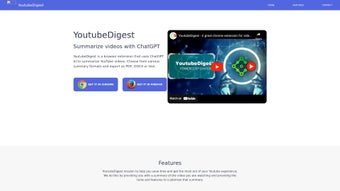
YoutubeDigest is a web‑based browser extension that transforms the way you consume YouTube content. By harnessing the power of OpenAI’s ChatGPT, the tool creates concise, accurate summaries of any YouTube video you watch. Whether you need a quick refresher before a meeting, want to skim a tutorial, or simply wish to understand a video without spending the full runtime, YoutubeDigest delivers a readable digest in seconds.
The extension lets you choose between an article‑style narrative or bullet‑point highlights, catering to different learning preferences. Moreover, it supports on‑the‑fly translation into dozens of languages, making the content accessible to a global audience. Once generated, summaries can be exported as PDF, DOCX, or plain‑text files, or shared via a unique link for collaborative review.
While the current focus is exclusively on YouTube, the development roadmap hints at future support for other video platforms, promising a broader summarization ecosystem. By reducing the time spent watching lengthy videos and improving information accessibility, YoutubeDigest positions itself as a productivity‑boosting companion for students, professionals, and casual viewers alike. The extension is free to download, updates automatically through the browser store, and adheres to modern security standards, ensuring that your browsing data remains private while you enjoy smarter video consumption.
Key Features
- AI‑Generated Summaries: Utilizes ChatGPT to produce accurate, context‑aware summaries within seconds.
- Customizable Output Formats: Choose between a narrative article or concise bullet points.
- Multi‑Language Translation: Summaries can be translated into over 30 languages, with the ability to add new languages via community contributions.
- Export Options: Save your digest as PDF, DOCX, or plain‑text, making it easy to embed in reports or share with teammates.
- Shareable Links: Generate a short URL that points directly to the summary, ideal for quick distribution on social media or messaging apps.
- One‑Click Activation: The extension adds a small icon beside the YouTube player; a single click triggers the summarization process.
- Secure & Private: No video data leaves your browser; the AI processing happens through encrypted API calls, respecting user privacy.
- Automatic Updates: The extension receives regular improvements and new language packs without manual re‑installation.
- Future Platform Expansion: Plans are underway to support Vimeo, Dailymotion, and other video services.
Each feature has been designed with a specific user pain point in mind. For example, the bullet‑point mode is perfect for those who need quick takeaways, while the article mode reads like a short blog post, preserving nuance and context. Translation isn’t just a static dictionary swap; the AI re‑writes the summary in the target language, ensuring readability and cultural relevance.
Export formats cover both professional (DOCX for editing) and casual (PDF for reading offline) needs. By offering a shareable link, YoutubeDigest eliminates the friction of attaching large files or copying text into emails. The seamless integration with the YouTube interface means you never leave the video page, preserving workflow continuity.
Security‑first design guarantees that personal browsing habits remain confidential, a critical factor for enterprise users. Together, these capabilities turn a simple video‑watching session into an efficient knowledge‑acquisition workflow.
Installation & Usage Instructions
Step‑by‑Step Installation
Getting started with YoutubeDigest is straightforward. First, open your preferred browser—Chrome, Edge, or Firefox—then navigate to the official extension store (Chrome Web Store or Firefox Add‑ons). Search for “YoutubeDigest” and click the Add to Browser button.
A permission dialog will appear, asking for access to YouTube domains; this is necessary for the extension to read video metadata and inject the summary UI. Confirm the request, and the extension icon will appear next to the address bar. The installation process typically takes less than a minute, and the extension updates automatically whenever a new version is published.
Generating a Summary
Once installed, open any YouTube video you wish to summarize. You’ll notice a new Digest button underneath the video player. Click it to open a side panel where you can select your preferred summary style—Article or Bullet Points.
If you need the summary in another language, click the Translate dropdown and choose from the available options. After setting your preferences, press Generate. The AI begins processing the video’s transcript, usually completing within 5‑15 seconds depending on video length.
The resulting summary appears in the panel, ready for review.
Exporting and Sharing
Below the summary, you’ll find three export icons: PDF, DOCX, and Text. Clicking any of these will download the file to your default download folder. For quick collaboration, use the Share Link button; a short URL is copied to your clipboard, which you can paste into emails, Slack, or any messaging platform. Recipients can view the summary without installing the extension, as the link directs them to a secure preview page hosted by YoutubeDigest.
Troubleshooting Tips
If the Digest button does not appear, ensure that you’re on a standard YouTube video page (not a Shorts or embed). Refresh the page and verify that the extension is enabled in your browser’s extension manager. In case of translation errors, check the language pack status in the extension’s settings—new languages may need to be downloaded. Finally, if summaries are unexpectedly short, verify that the video’s closed captions are enabled; YoutubeDigest relies on the transcript to generate accurate content.
Compatibility, Pros & Cons
Supported Platforms
YoutubeDigest is built as a browser‑extension, meaning it works across all major operating systems that support Chrome‑based browsers or Firefox. Specifically, the extension runs on:
- Windows 10 and later (Chrome, Edge, Firefox)
- macOS Catalina and later (Chrome, Safari via WebExtension bridge, Firefox)
- Linux distributions with Chromium or Firefox
- Chrome OS (directly from the Chrome Web Store)
While the extension itself is not a native mobile app, it can be used on Android and iOS devices through browsers that support extensions, such as Kiwi Browser on Android or the new Safari extension support on iOS 15+. The developers have announced a dedicated mobile companion app in the roadmap, which will bring the same summarization capabilities to handheld devices without the need for a full browser extension.
Pros
- Free to download and use with no hidden fees.
- Instant AI‑generated summaries reduce time spent watching long videos.
- Multiple output formats (Article, Bullet Points) adapt to different reading styles.
- Robust language translation expands accessibility globally.
- One‑click export to PDF, DOCX, or plain text for easy documentation.
- Shareable links enable quick distribution without requiring recipients to install anything.
- Regular automatic updates keep features fresh and secure.
- Privacy‑first design ensures no personal browsing data is stored on external servers.
Cons
- Currently limited to YouTube; other platforms are not yet supported.
- Reliance on YouTube’s auto‑generated captions can affect summary accuracy for videos without proper subtitles.
- Translation quality varies by language, especially for less common languages.
- Performance may lag on very long videos (>2 hours) due to transcript length.
- Mobile browser support is still emerging; full functionality may require a desktop environment.
Frequently Asked Questions & Conclusion
Is YoutubeDigest really free?
Yes, the extension can be downloaded and used at no cost. All core features—including summary generation, translation, and export—are available for free. Optional premium add‑ons may be introduced in the future, but the basic tool remains free.
How does the AI create a summary?
YoutubeDigest sends the video’s transcript to OpenAI’s ChatGPT API, which then processes the text to produce a concise summary. The AI respects the selected format (article or bullet points) and can rewrite the output in a chosen language.
Can I use YoutubeDigest on a Mac?
Absolutely. The extension works in Chrome, Edge, and Firefox on macOS Catalina and later. A Safari version is also available via the Apple App Store’s extension gallery.
What happens if a video has no captions?
If a video lacks closed captions, YoutubeDigest attempts to generate a transcript using speech‑to‑text technology, but the accuracy may be lower. For best results, use videos with properly synced subtitles.
Is my data safe while using the extension?
Yes. All communication with the ChatGPT API is encrypted (HTTPS), and the extension does not store any personal browsing history on external servers. Only the video transcript is temporarily sent for processing.
In summary, YoutubeDigest offers a powerful, free, and privacy‑focused solution for anyone who wants to extract the essence of YouTube videos without investing the full watch time. Its AI‑driven summarization, flexible output formats, and multilingual support make it a standout tool for students, researchers, marketers, and casual viewers alike. While the current scope is limited to YouTube, the roadmap promises broader platform coverage, which could turn the extension into a universal video‑digest companion. If you’re looking to boost productivity, improve accessibility, or simply stay informed faster, installing YoutubeDigest is a smart first step. Download now, generate your first summary in seconds, and experience a more efficient way to consume video content.



.png)



